
How to Bring Your LangChain Agents into OpenBot as AI Coworkers
LangChain gives you full control over how your agent thinks, from every step to the model it runs on. But running it in an agent workspace takes a lot of work: agents coordinating with each other, each with its own responsibilities, scheduled runs, your team’s apps and maintaining all of it as it grows.
OpenBot (open.bot) is an open-source agent workspace that handles all of that. Connect your LangChain agent as a Bot and OpenBot can run it on a schedule and on check-ins. Add OpenBot’s tools to your agent (section 5) and it can also use the Bot’s browser, shell and connected apps.
OpenBot also sends its built-in tools and connected apps with every run, works with local models, reads your Bots’ finished conversations with Automatic Learning, and keeps every action OpenBot performs for your agent in check with built-in governance. Your agent code stays yours, and the workspace around it is fully customizable.
This guide walks through connecting your LangChain agent to OpenBot and building a simple one from scratch if you don’t have an agent yet.
- Download the desktop app for Mac and Windows: open.bot
- Setup guide: open.bot/builders
- GitHub: CopilotKit/OpenBot
1. How the connection works
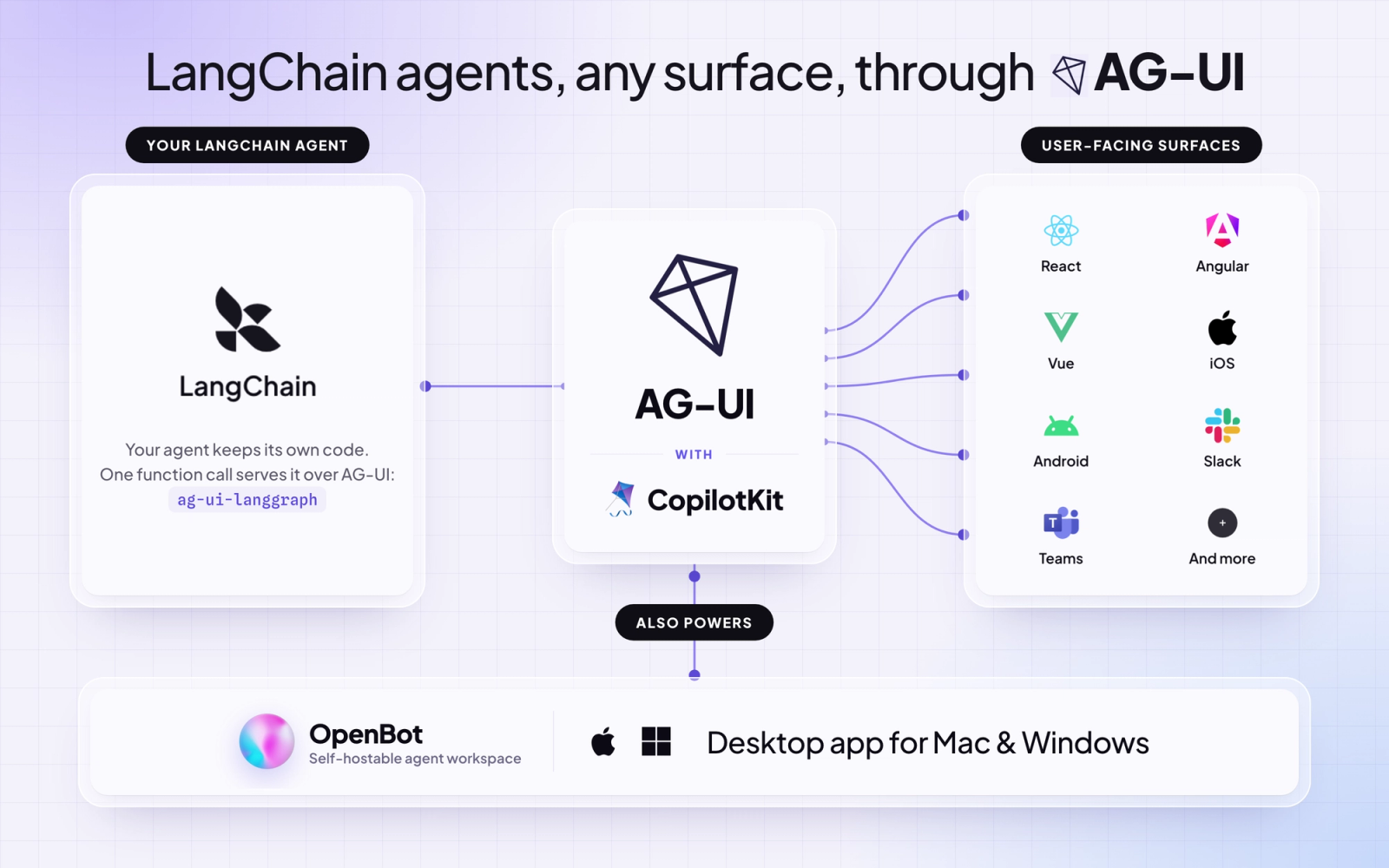
OpenBot connects to agents over AG-UI (Agent-User Interaction Protocol), the open standard for connecting agents to user-facing apps. It streams the agent’s whole lifecycle as events, so your agent and the app stay in sync.
Any agent that speaks AG-UI can become a Bot, whatever framework it’s built on. For LangChain, the bridge already exists. ag-ui-langgraph turns any LangGraph graph into an AG-UI endpoint, so your agent keeps its own code.
So the only thing your agent needs is an AG-UI endpoint, and that takes one function call.
2. Connect your LangChain agent to OpenBot
If your LangChain agent already runs over AG-UI, locally or deployed, you can skip ahead to the OpenBot part. If not, here’s how to expose it.
Install the adapter along with FastAPI and Uvicorn:
pip install ag-ui-langgraph fastapi uvicornIf your agent lives in research.py as graph, wrap it in a small FastAPI app in agent.py next to it:
from fastapi import FastAPI
from ag_ui_langgraph import LangGraphAgent, add_langgraph_fastapi_endpoint

from research import graph

app = FastAPI()
add_langgraph_fastapi_endpoint(app, LangGraphAgent(name="research", graph=graph))
This adds a route that takes AG-UI requests and streams events back, plus a /health check. Your graph needs a checkpointer (like MemorySaver()), because the adapter reads the graph’s state through it. OpenBot sends the whole conversation on every run, so give each run a fresh checkpointer rather than one shared across runs; otherwise messages can show up in the context twice.
Run it locally, or deploy it wherever you host Python apps!
With your endpoint live, open OpenBot Desktop for Mac or Windows and create a new Bot with a name and instructions. For instance, we’ll call ours “Research Scout” with the instructions “Morning briefings on AI agent news”.
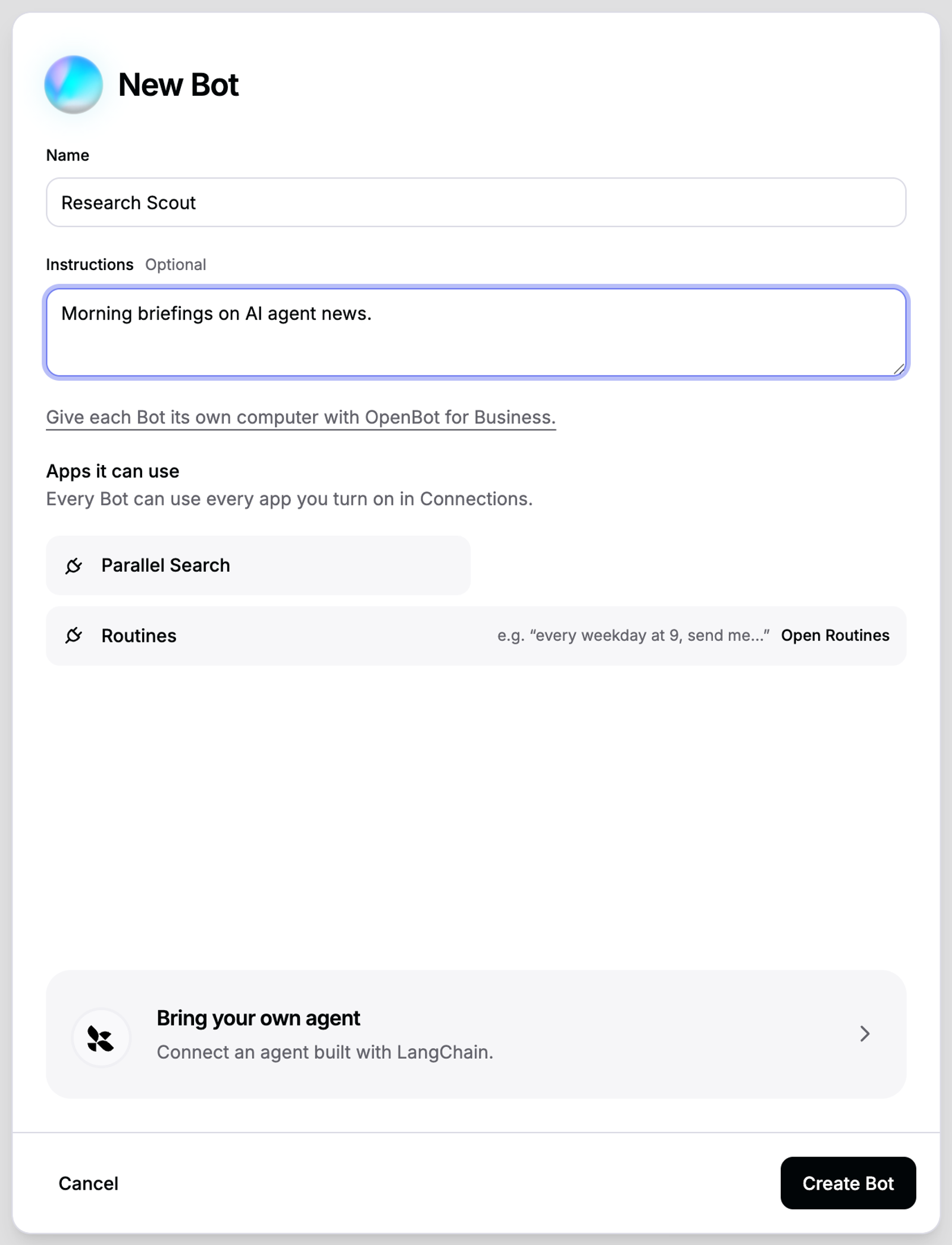
At the bottom of the panel, click Bring your own agent, then choose LangChain from the list (not LangGraph (TypeScript), which is OpenBot’s own agent).
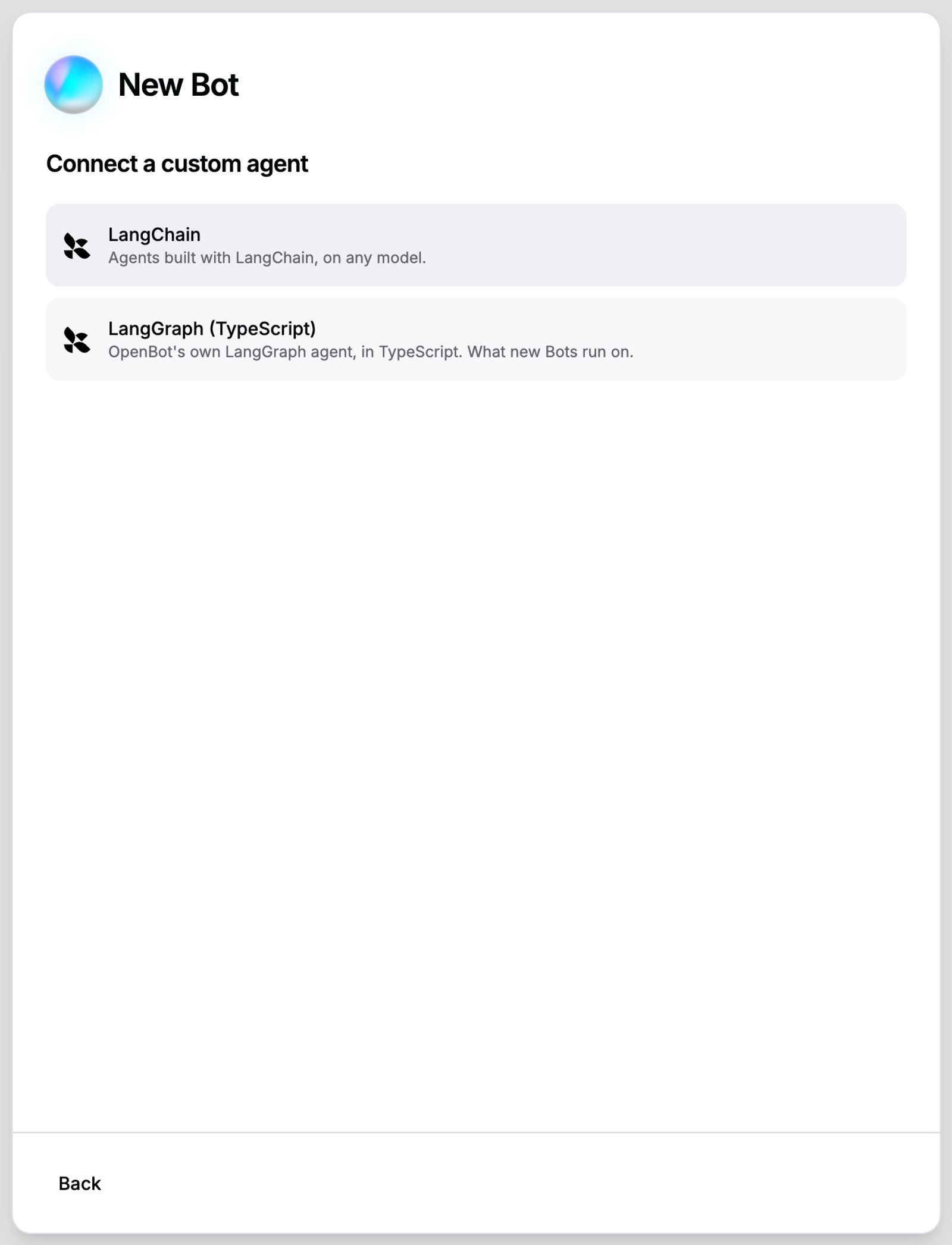
Enter your agent’s address, like https://research-scout.up.railway.app for an agent hosted on Railway. A hosted address works best for a team, since everyone’s OpenBot can reach it. If the agent runs on your own computer, just enter a localhost URL and OpenBot Desktop routes it to your machine.
You can also add a Key. OpenBot sends it with every request and stores it encrypted, so your agent can stay private.
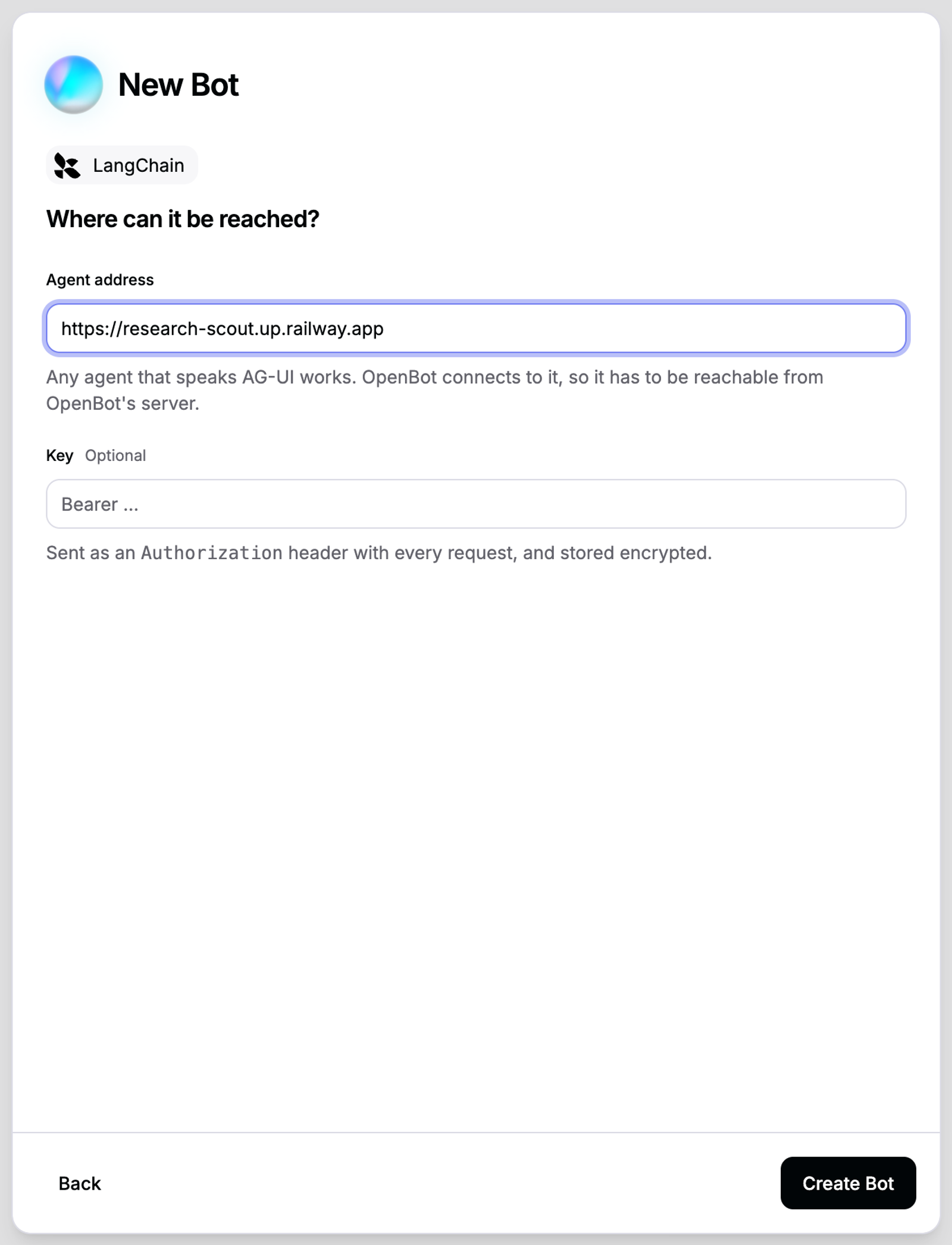
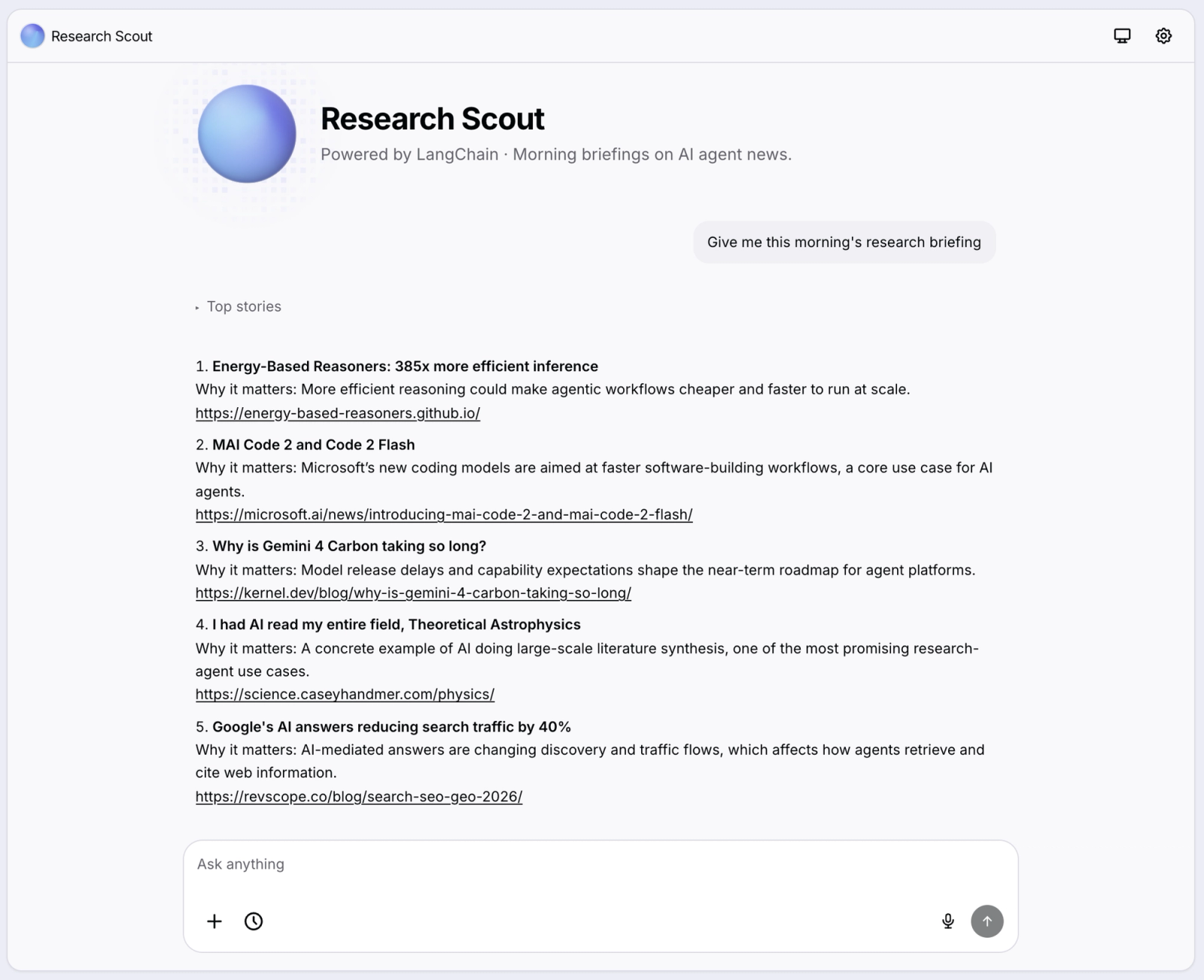
Before the Bot is created, OpenBot sends a test message to your agent, so a wrong address shows up right away. Once it’s live, the Bot’s header shows the framework it runs on, like “Powered by LangChain”.
3. Build a LangChain agent from scratch
If you’re starting fresh, let’s build a minimal LangChain agent. For instance, Research Scout reads the top stories on Hacker News and writes a short briefing on the ones about AI agents. Start by installing LangChain:
pip install langchain langchain-openaiCreate research.py with one tool and the agent. The top_stories tool calls the public Hacker News API, and create_agent turns the model, tool and prompt into a LangGraph graph:
import json
import urllib.request

from langchain.agents import create_agent
from langchain.tools import tool
from langgraph.checkpoint.memory import MemorySaver

HN = "https://hacker-news.firebaseio.com/v0"


def _get(url: str):
    with urllib.request.urlopen(url, timeout=10) as response:
        return json.load(response)


@tool
def top_stories(limit: int = 15) -> str:
    """Return today's top Hacker News stories with title, url, points and comment count."""
    stories = []
    for story_id in _get(f"{HN}/topstories.json")[:limit]:
        item = _get(f"{HN}/item/{story_id}.json") or {}
        stories.append({
            "title": item.get("title"),
            "url": item.get("url") or f"https://news.ycombinator.com/item?id={story_id}",
            "points": item.get("score"),
            "comments": item.get("descendants"),
        })
    return json.dumps(stories)


graph = create_agent(
    model="openai:gpt-5.5",
    tools=[top_stories],
    system_prompt=(
        "You are Research Scout. When asked for a research briefing, call top_stories, "
        "pick the stories about AI agents, and answer with a short numbered briefing: "
        "title, one line on why it matters, and the link."
    ),
    checkpointer=MemorySaver(),
)
Since the agent calls OpenAI directly, set your OPENAI_API_KEY where it runs. Then wrap it with the agent.py from step 2 and connect it to OpenBot the same way.
4. What else your Bot gets in OpenBot
In OpenBot, the agent is the brain that does the work, and a Bot is the coworker people talk to, with its own role, apps, routines and memory. Once your agent is a Bot, the whole workspace is around it. The parts that work through tools start working once your agent takes OpenBot’s tools (section 5).
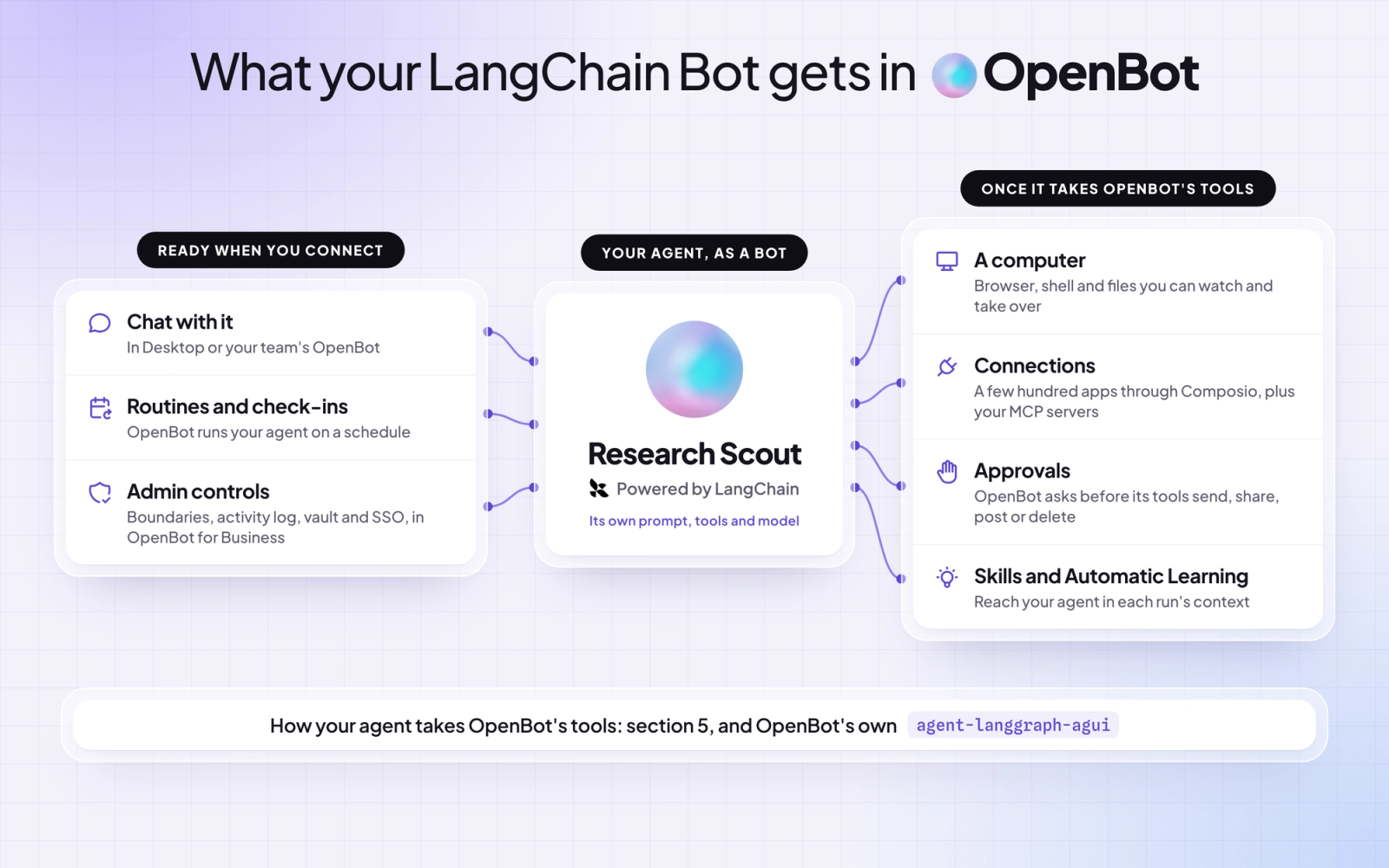
- You can sign in with your Claude or ChatGPT plan, or with Google or xAI, or use any OpenAI-compatible endpoint, such as Mistral, DeepSeek or Ollama running locally. You can change this anytime from your AI connection, and Bots running on OpenBot’s own agent use it.
- Routines run work on a schedule, goals keep a Bot working toward an outcome, and check-ins keep an eye on things that change.
- Skills are reusable instructions you can run with a slash command, for yourself or shared with your whole team.
- Connections give your Bots a few hundred apps through Composio, plus your own MCP servers.
- Each Bot works on a computer with a browser, shell and files that you can watch and take over from the chat.
- Automatic Learning reads your Bots’ finished conversations, spots where your agent keeps making mistakes and turns the fixes into skills. In a team you review them before any Bot uses them; OpenBot Desktop approves new skills automatically unless you switch that off.
- In OpenBot for Business, admins get boundaries for actions no Bot may ever take, an activity log of who did what, a vault for keys and tokens, and control over people, SSO and which models Bots can use.
You can see everything that’s shipped in OpenBot’s release notes.
5. Make it a full coworker
The setup above connects your agent to OpenBot. To use everything OpenBot sends with each run, your agent needs a few more changes:
- The Bot’s instructions. The adapter drops the role you give the Bot in OpenBot, along with any skill you run with a slash command. Your agent’s own prompt still works, so read the Bot’s instructions from the run to use both.
- OpenBot’s tools. Each run comes with the Bot’s browser, connected apps and routine tools, but your agent only uses the tools you give it. Add OpenBot’s tools, and when your agent calls one, let OpenBot run it and send back the result, like tool_runtime.py does.
- Learned skills. Skills from Teach a Bot and Automatic Learning via CopilotKit Intelligence reach your agent in the context OpenBot forwards with each run, so your agent has to read that context for them to take effect.
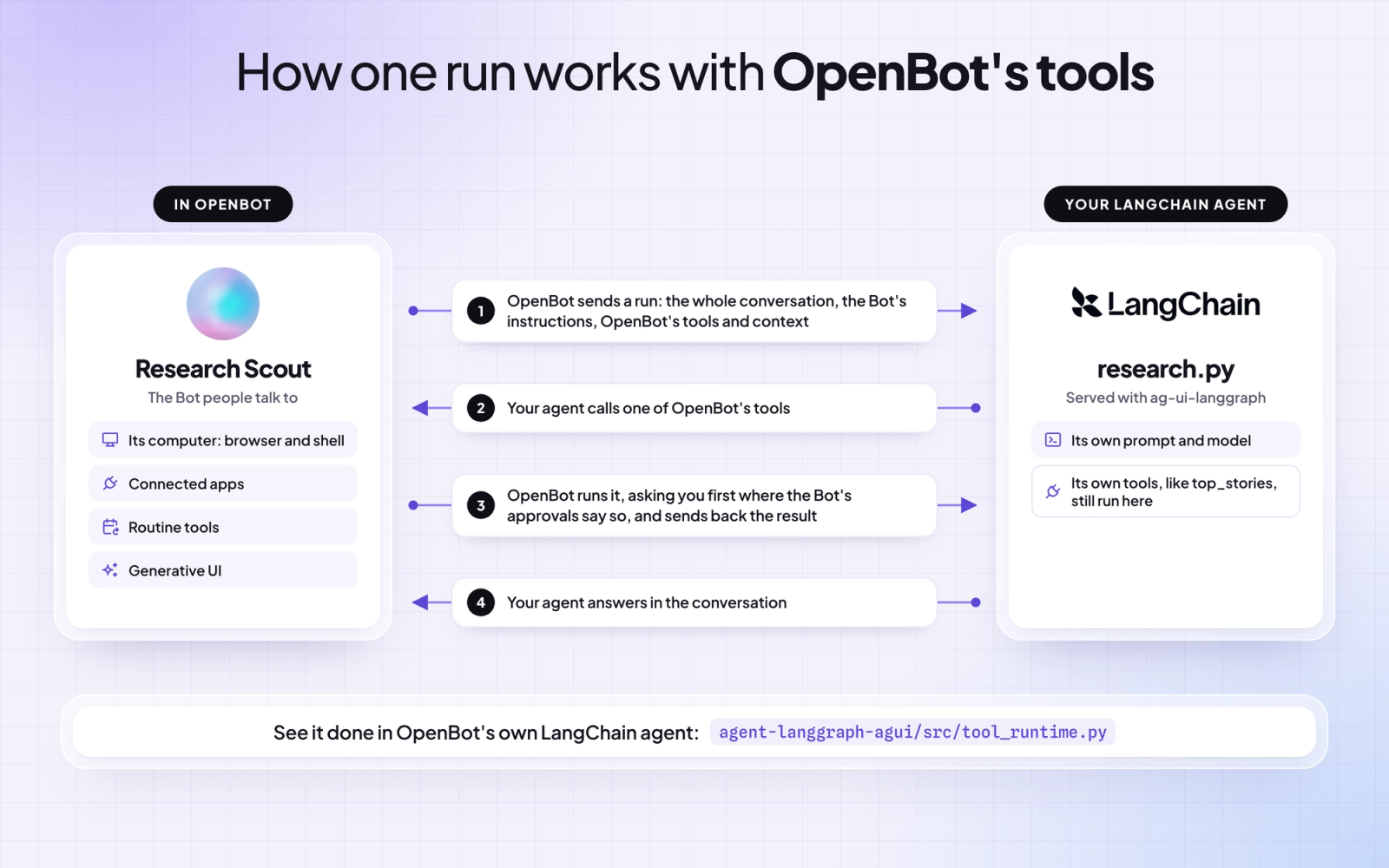
OpenBot’s own LangChain agent does all of this. It’s in the repo as agent-langgraph-agui, a great reference for turning your agent into a full coworker.
Get Started
Once your LangChain agent speaks AG-UI, connecting it to OpenBot takes just its address. From there it works like any other coworker in your workspace, on a schedule, with your apps, alongside your other Bots.
To learn more:
- OpenBot: open.bot
- Setup guide: open.bot/builders
- GitHub: github.com/CopilotKit/OpenBot
- ag-ui-langgraph: pypi.org/project/ag-ui-langgraph
- AG-UI docs: docs.ag-ui.com
Follow CopilotKit on Twitter for updates. If you get stuck, reach out in the CopilotKit or AG-UI communities.